MAC MIDI 受信プログラム
MACでMIDIを扱うにはCoreMIDIのFrameworkを使う、ということは知っていたのですが、 これまでプログラムを書いたことがありませんでした。そこで、ChatGPTに助けてもらいながら MIDIを受信するプログラムを書いて(コピーして)動作させてみました。
MACでプログラムを開発するためには、Apple StoreからXcodeをインストールする必要があります。 無料です。
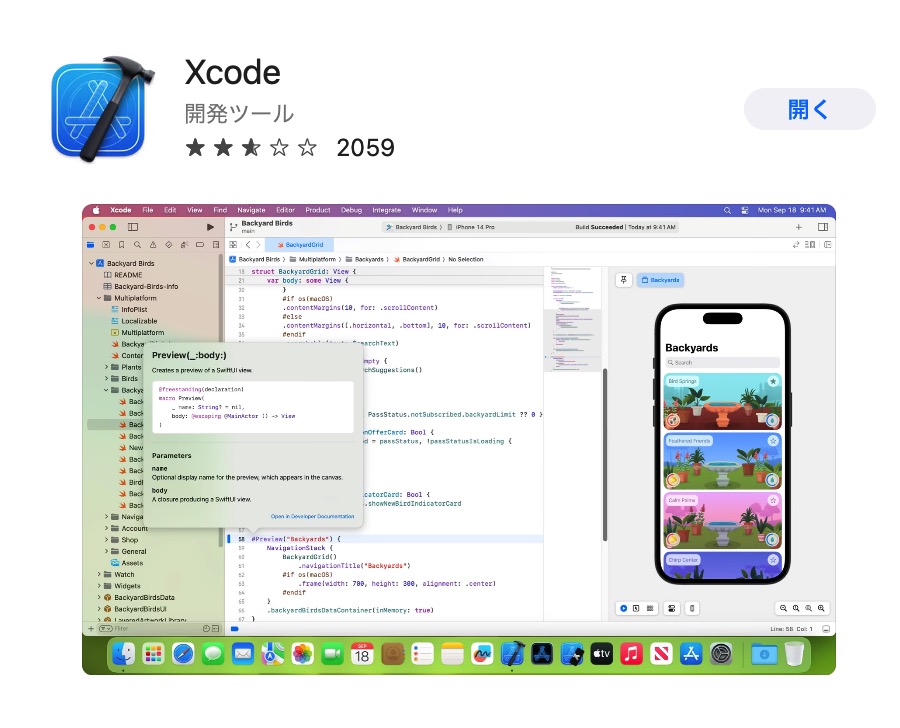
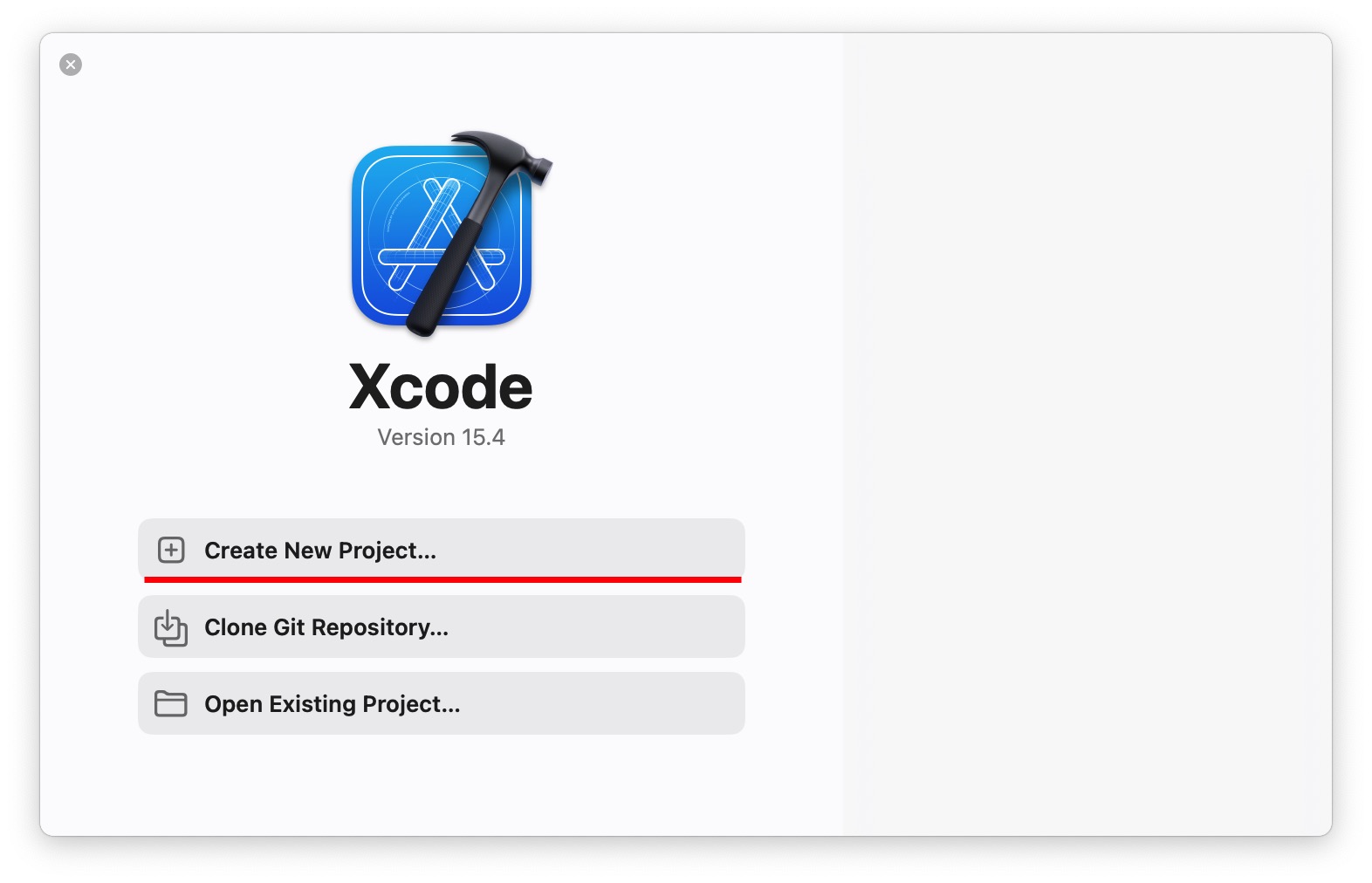
新しいProjectを生成します。
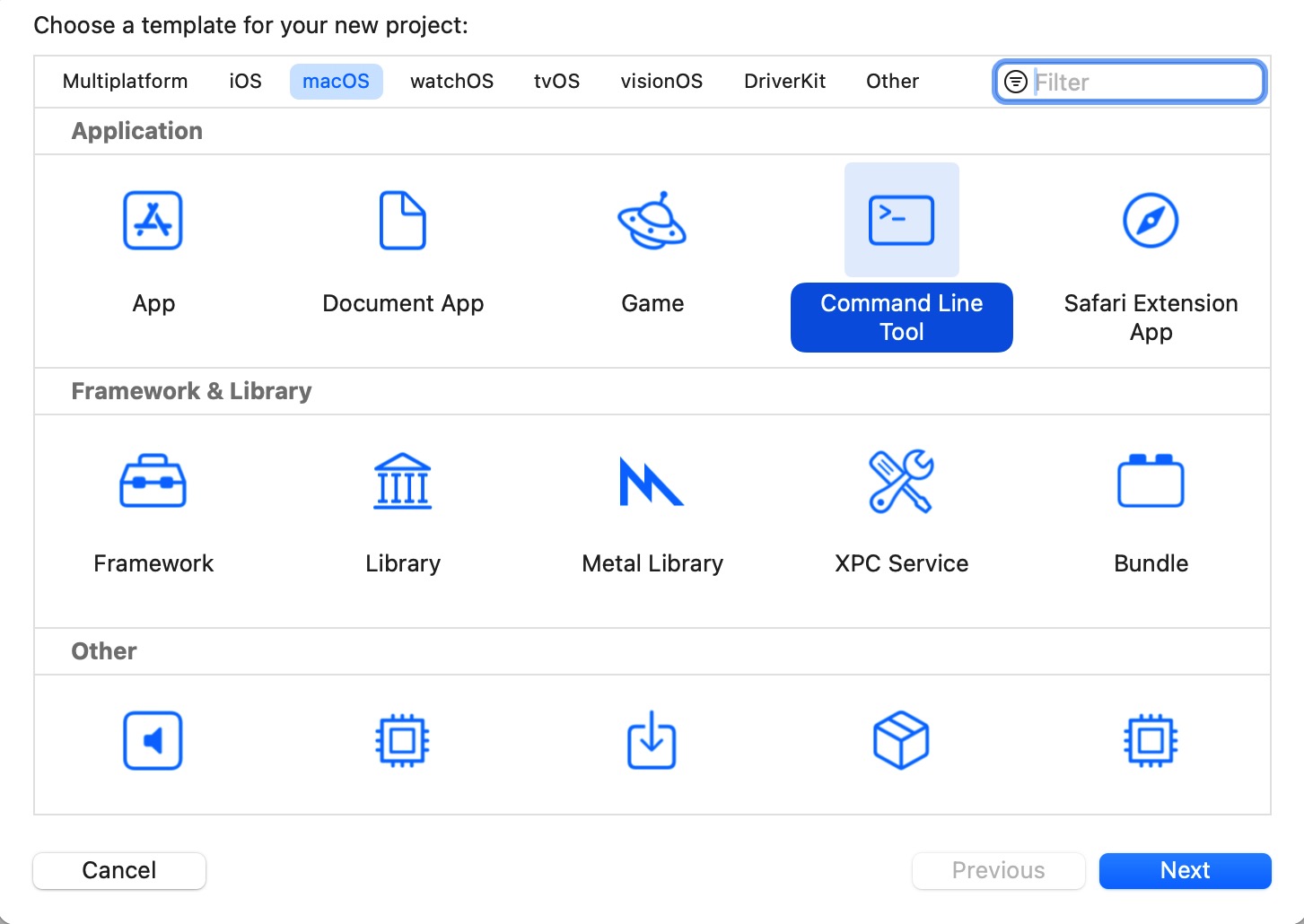
Command Line Toolsを選択し、NEXT。
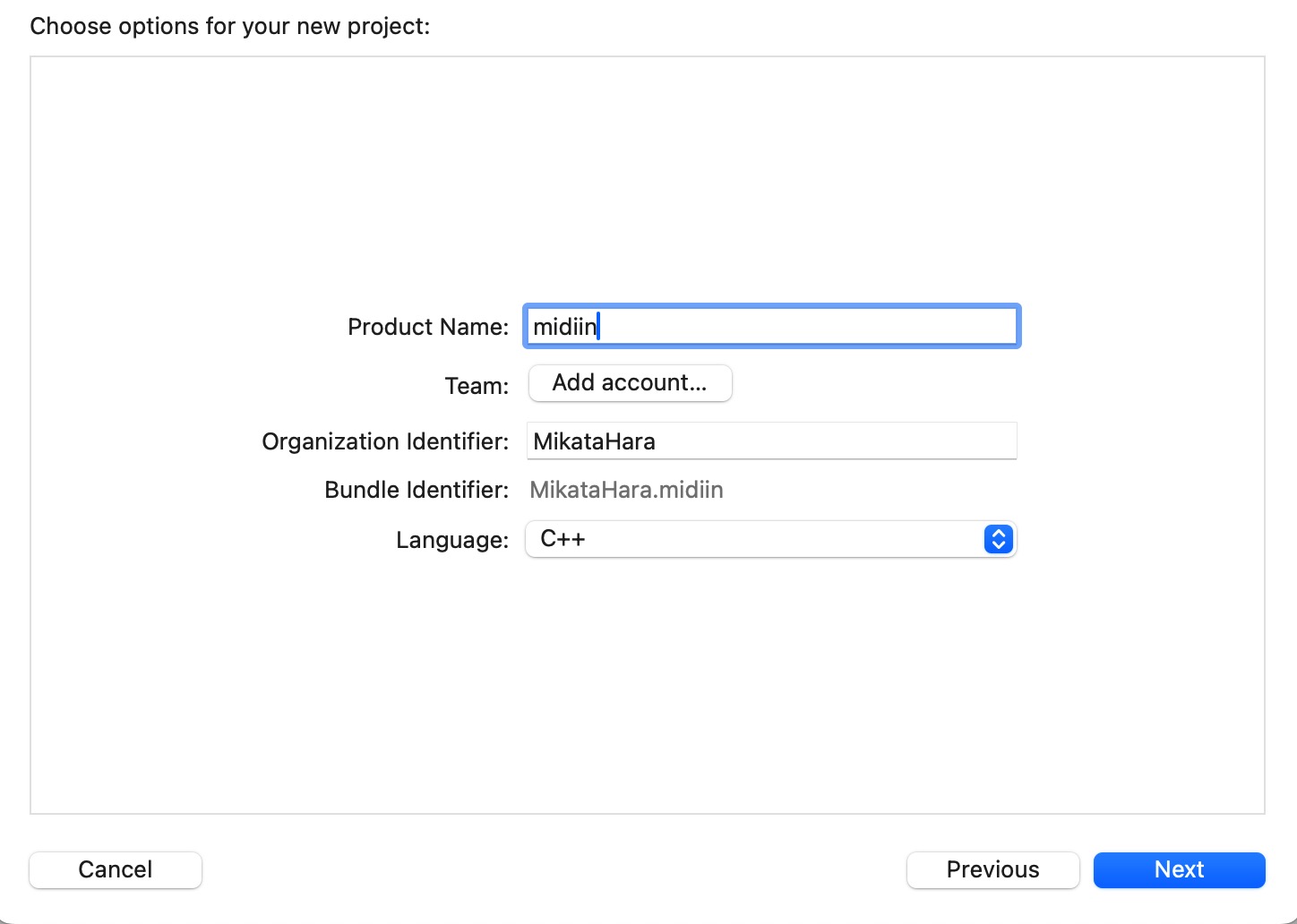
Project Nameをmidiinとし、NEXT。
適当なフォルダで、Create。
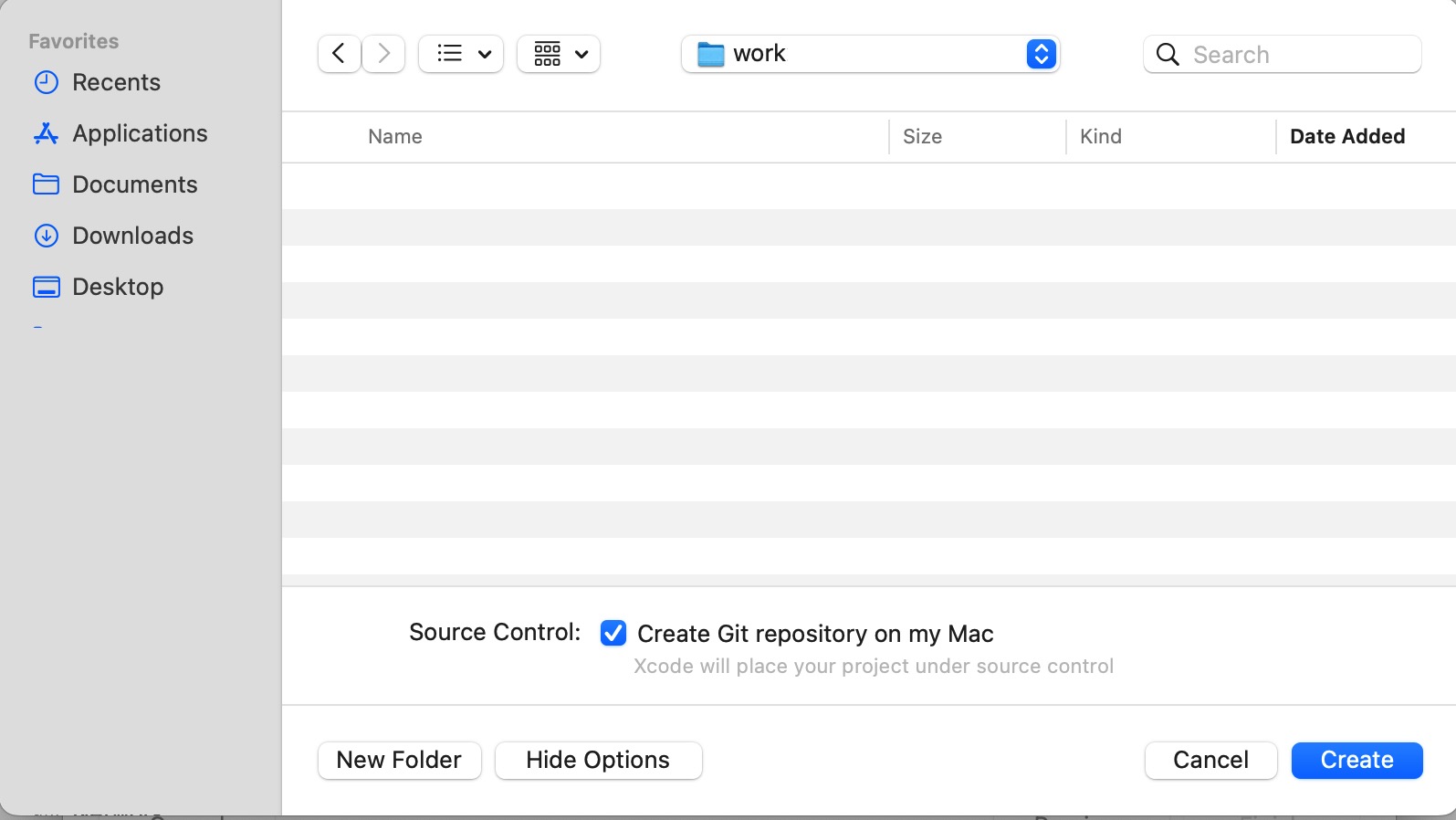
midiinという名前のプロジェクトが生成されます。
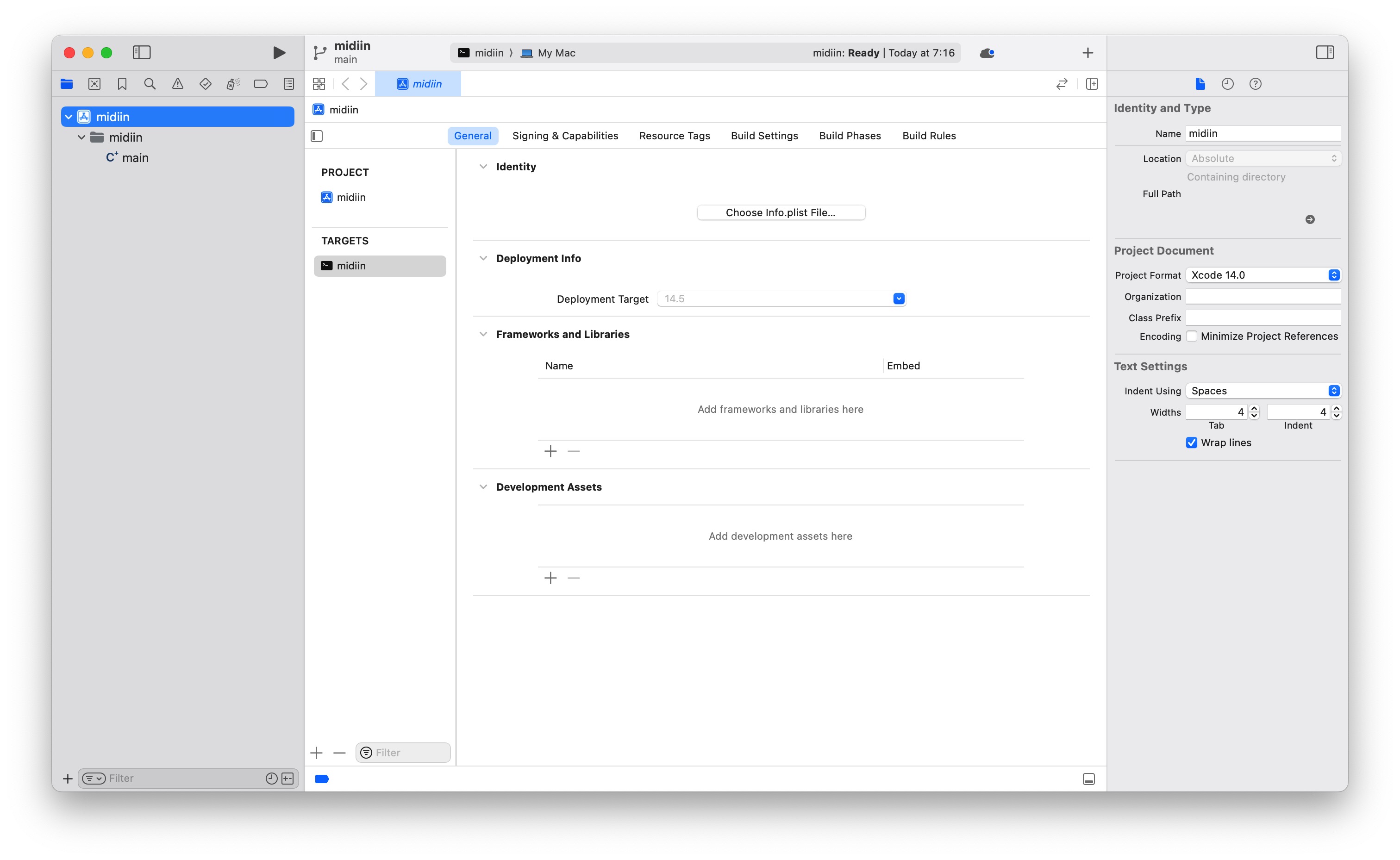
左のナビゲータ Navigator から、mainを選択する。 内容を全部消して、ChatGPTが教えてくれたプログラムを書き込みます。
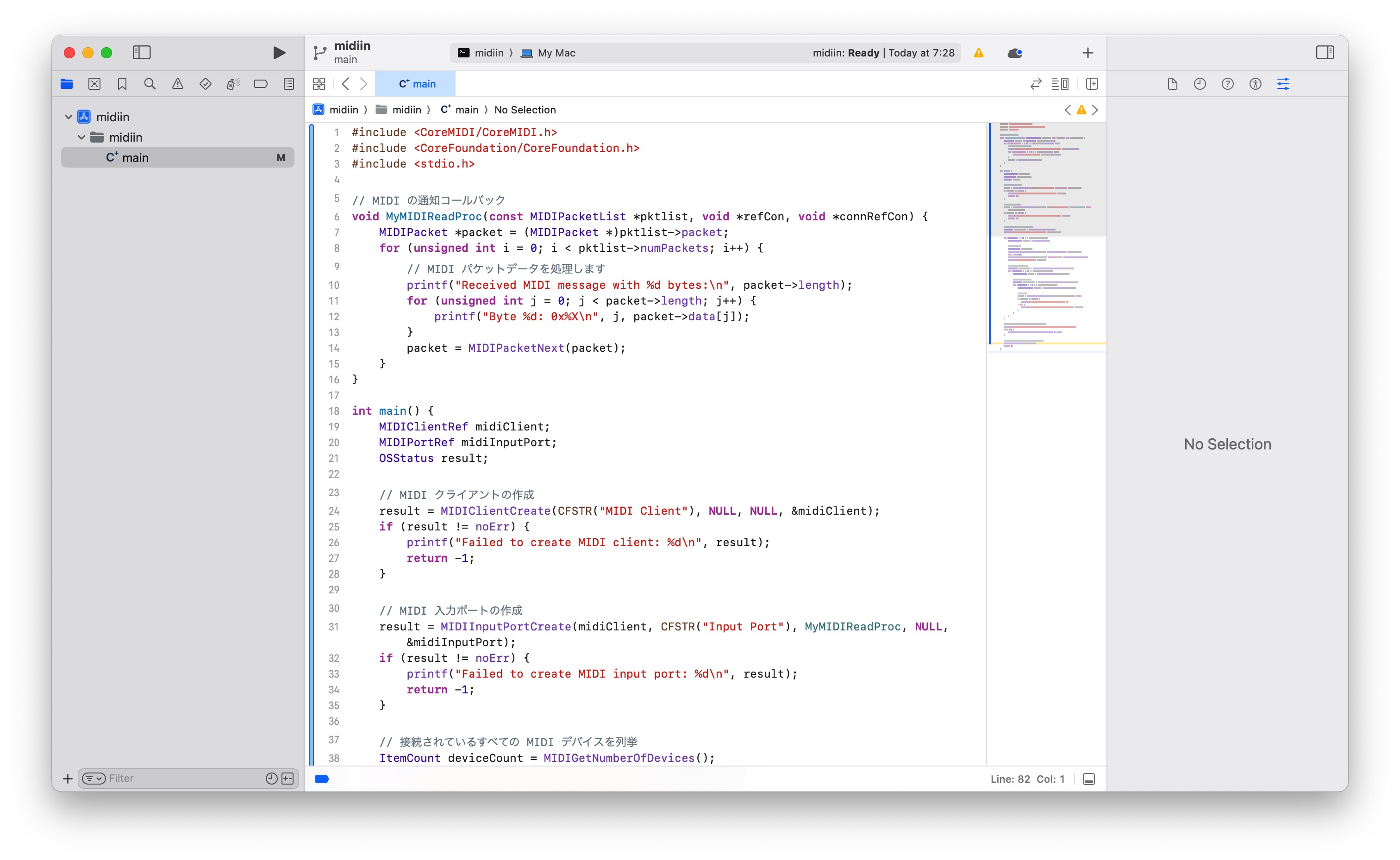
プログラムは以下の通りです。
#include <CoreMIDI/CoreMIDI.h>
#include <CoreFoundation/CoreFoundation.h>
#include <stdio.h>

// MIDI の通知コールバック
void MyMIDIReadProc(const MIDIPacketList *pktlist, void *refCon, void *connRefCon) {
    MIDIPacket *packet = (MIDIPacket *)pktlist->packet;
    for (unsigned int i = 0; i < pktlist->numPackets; i++) {
        // MIDI パケットデータを処理します
        printf("Received MIDI message with %d bytes:\n", packet->length);
        for (unsigned int j = 0; j < packet->length; j++) {
            printf("Byte %d: 0x%X\n", j, packet->data[j]);
        }
        packet = MIDIPacketNext(packet);
    }
}

int main() {
    MIDIClientRef midiClient;
    MIDIPortRef midiInputPort;
    OSStatus result;

    // MIDI クライアントの作成
    result = MIDIClientCreate(CFSTR("MIDI Client"), NULL, NULL, &midiClient);
    if (result != noErr) {
        printf("Failed to create MIDI client: %d\n", result);
        return -1;
    }

    // MIDI 入力ポートの作成
    result = MIDIInputPortCreate(midiClient, CFSTR("Input Port"), MyMIDIReadProc, NULL, &midiInputPort);
    if (result != noErr) {
        printf("Failed to create MIDI input port: %d\n", result);
        return -1;
    }

    // 接続されているすべての MIDI デバイスを列挙
    ItemCount deviceCount = MIDIGetNumberOfDevices();
    printf("Number of MIDI devices: %lu\n", deviceCount);

    for (ItemCount i = 0; i < deviceCount; i++) {
        MIDIDeviceRef device = MIDIGetDevice(i);

        // デバイス情報の取得
        CFStringRef deviceName;
        MIDIObjectGetStringProperty(device, kMIDIPropertyName, &deviceName);
        char name[128];
        CFStringGetCString(deviceName, name, sizeof(name), kCFStringEncodingUTF8);
        printf("Device %lu: %s\n", i, name);

        // デバイス内のエンティティを列挙
        ItemCount entityCount = MIDIDeviceGetNumberOfEntities(device);
        for (ItemCount j = 0; j < entityCount; j++) {
            MIDIEntityRef entity = MIDIDeviceGetEntity(device, j);

            // エンティティ内のソースを列挙
            ItemCount sourceCount = MIDIEntityGetNumberOfSources(entity);
            for (ItemCount k = 0; k < sourceCount; k++) {
                MIDIEndpointRef source = MIDIEntityGetSource(entity, k);

                // ソースに接続
                result = MIDIPortConnectSource(midiInputPort, source, NULL);
                if (result == noErr) {
                    printf("Connected to MIDI source %lu\n", k);
                } else {
                    printf("Failed to connect to MIDI source: %d\n", result);
                }
            }
        }
    }

    // メインループ (実際のアプリケーションでは適切なループ構造を使用します)
    printf("Listening for MIDI messages... (Press Ctrl+C to exit)\n");
    while (1) {
        CFRunLoopRunInMode(kCFRunLoopDefaultMode, 1, true);
    }

    // クリーンアップ (実際のアプリケーションではクリーンアップが必要)
    MIDIClientDispose(midiClient);
    return 0;
}
上のメニューからProduct > Buildを選択することでコンパイルしてみます。 エラーが出ます。
clang: error: linker command failed with exit code 1 (use -v to see invocation)
Undefined symbol: _MIDIClientCreate
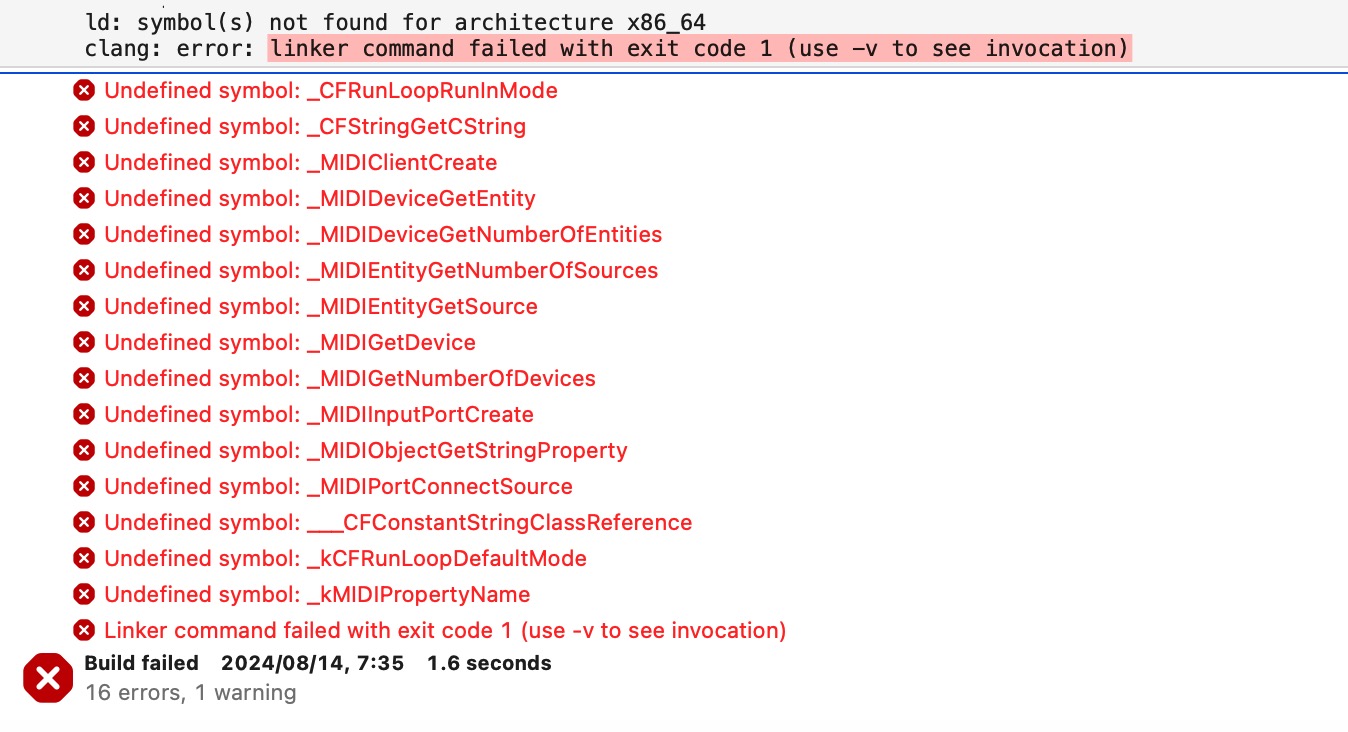
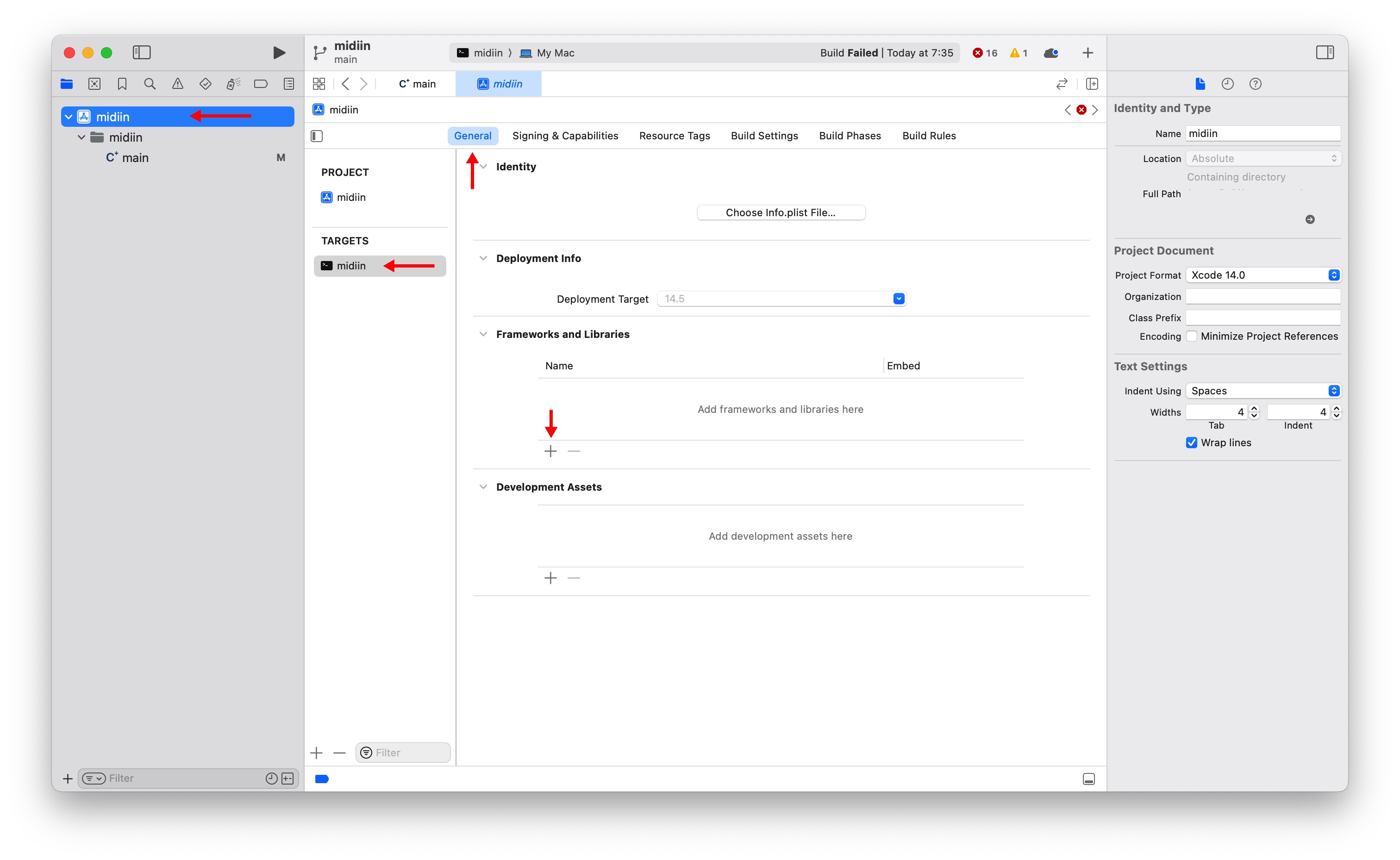
CoreMIDI.Frameworkをインストールします。 左のNavigatorから、一番上midiinを選択、TARGETからmidiinを選択、上のメニューからGenaralを選択、 Frameworks and librariesから+を選択します。
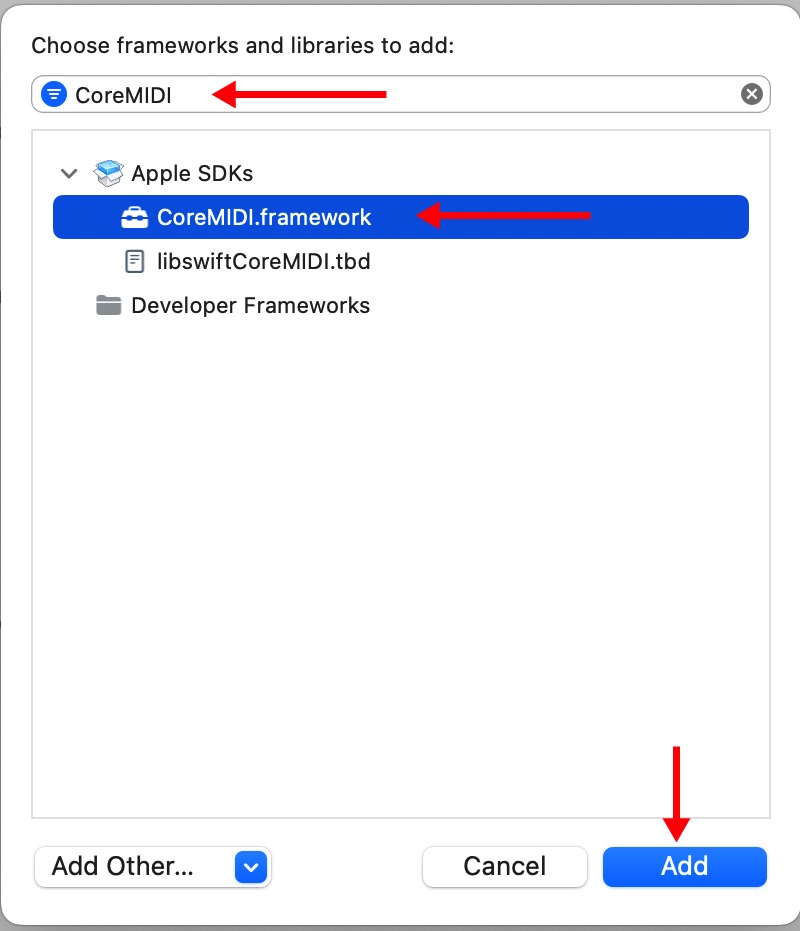
上のダイアログにCoreMIDIを入力、下に選択子が出ますのでCoreMIDI.Frameworkを選択、Addを押します。
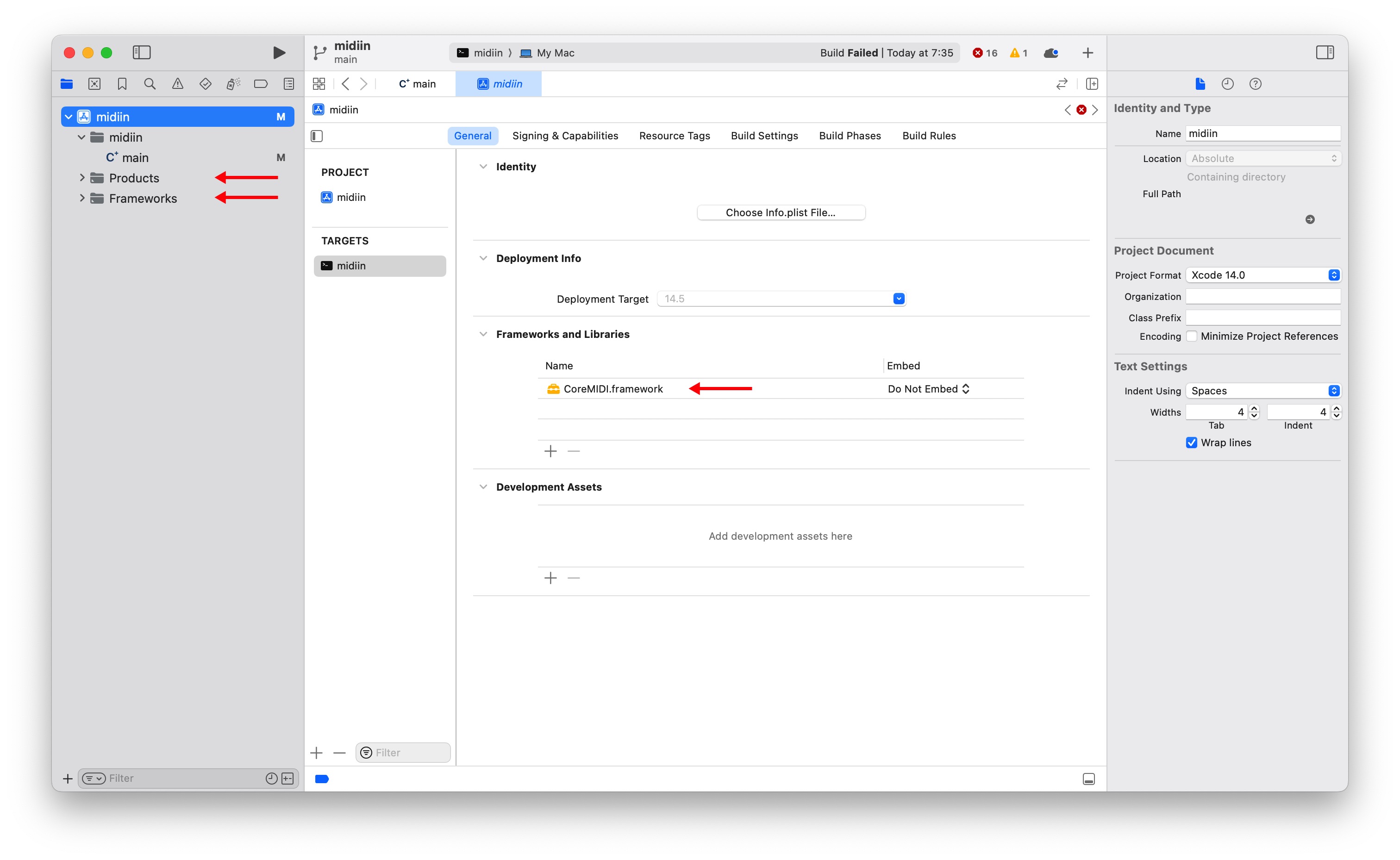
CoreMIDI.Frameworkが追加されています。
一旦プロジェクトを保存、もう一度Buildします。エラーの数は減りますがまだエラーが出ます。
clang: error: linker command failed with exit code 1 (use -v to see invocation)
Undefined symbol: _CFRunLoopRunlnMode
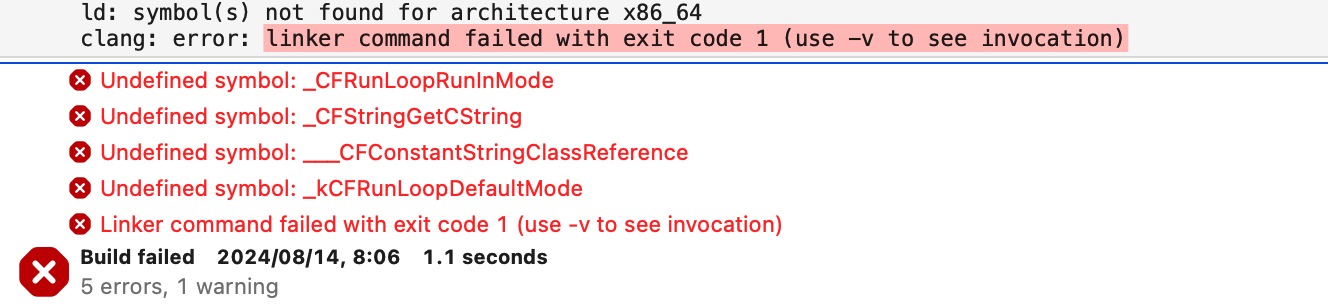
ChatGPTに尋ねたところ、CoreFoundation.frameworkを追加でインストールせよとのこと。 インストールします。インストール方法はCoreMIDI.frameeworkと同じです。
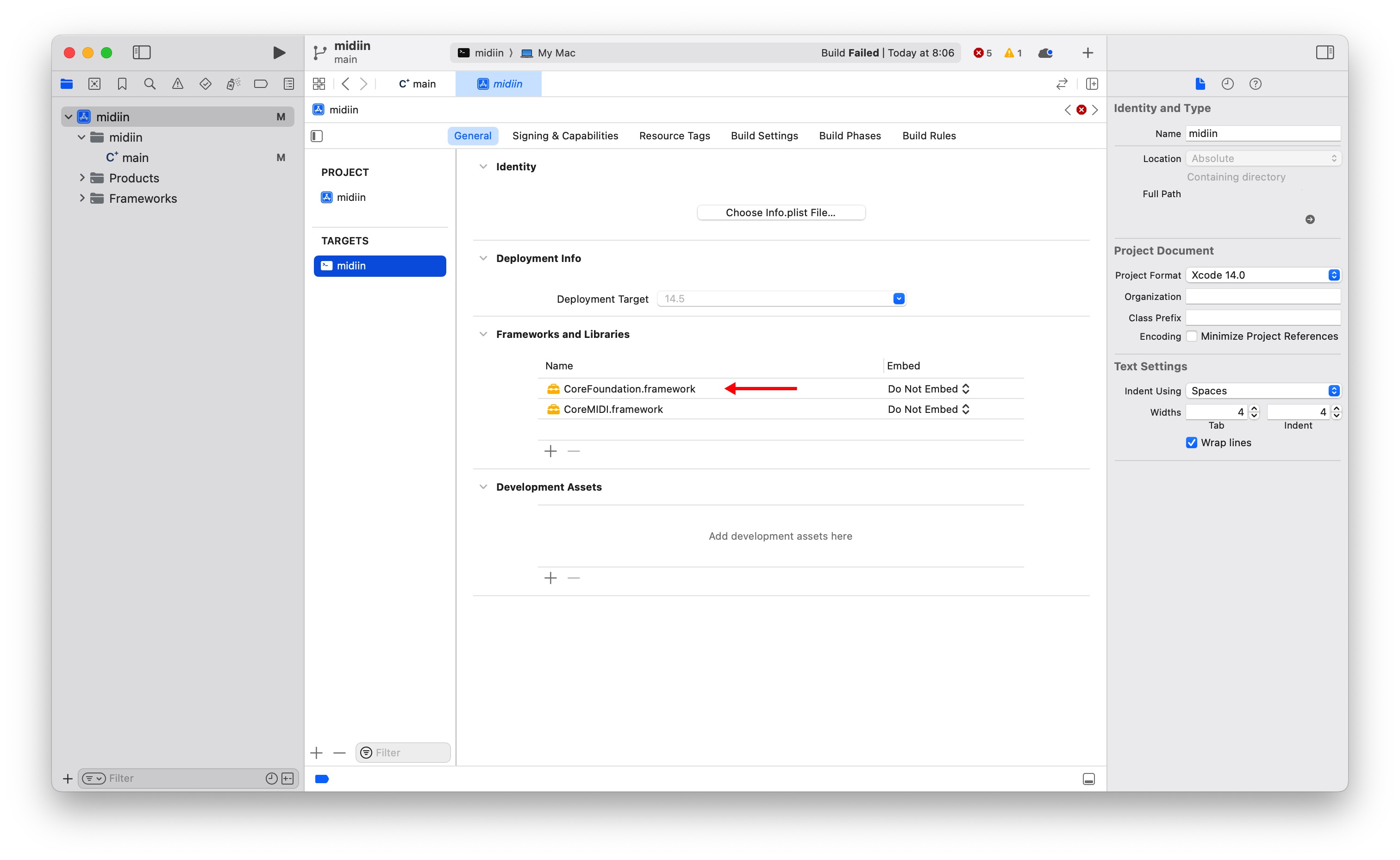
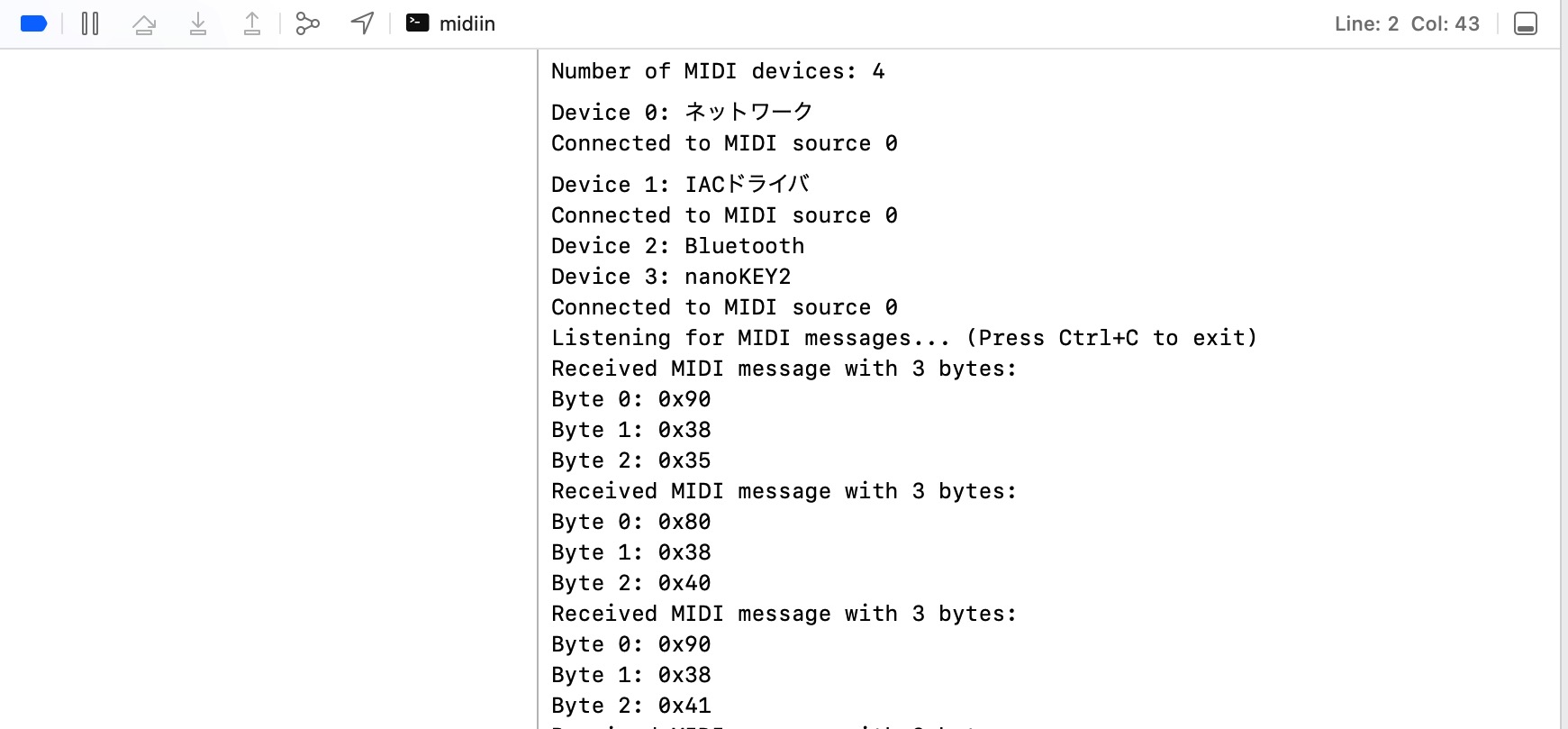
これでBuildするとコンパイル、リンクが通ります。MIDI機器を接続し、動作させてみます。 Product > Run を選択します。鍵盤を押すと、MIDIが下のウィンドウに表示されます。
ターミナルでの動作
ターミナルで動作させるには実行形式のアプリを生成します。まず、アプリを作成するフォルダを指定します。 TARGET > Build Settings > Build Location > Build Products Pathをクリックします。 $(PROJECT_DIR) と入力しReturnします。
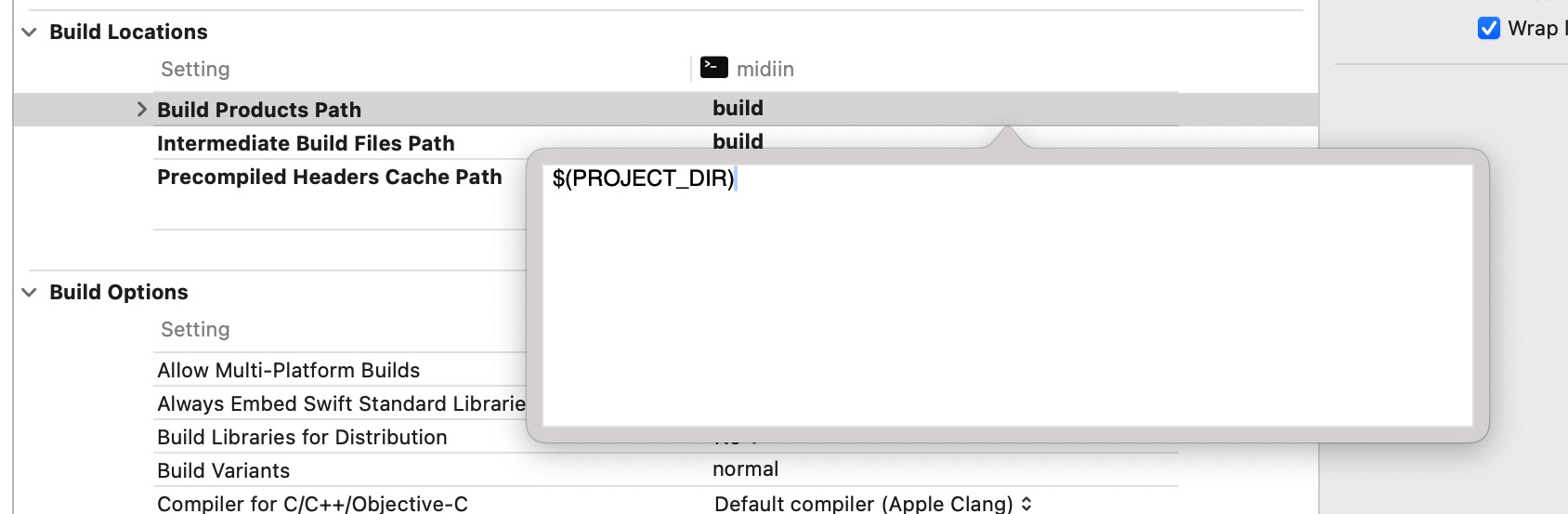
Product > Build For > Profiling を選択します。Xcodeのプロジェクトを保存したmidiinのフォルダの中に Releaseというフォルダーができていると思います。この中にmidiinという実行形式のアプリができています。
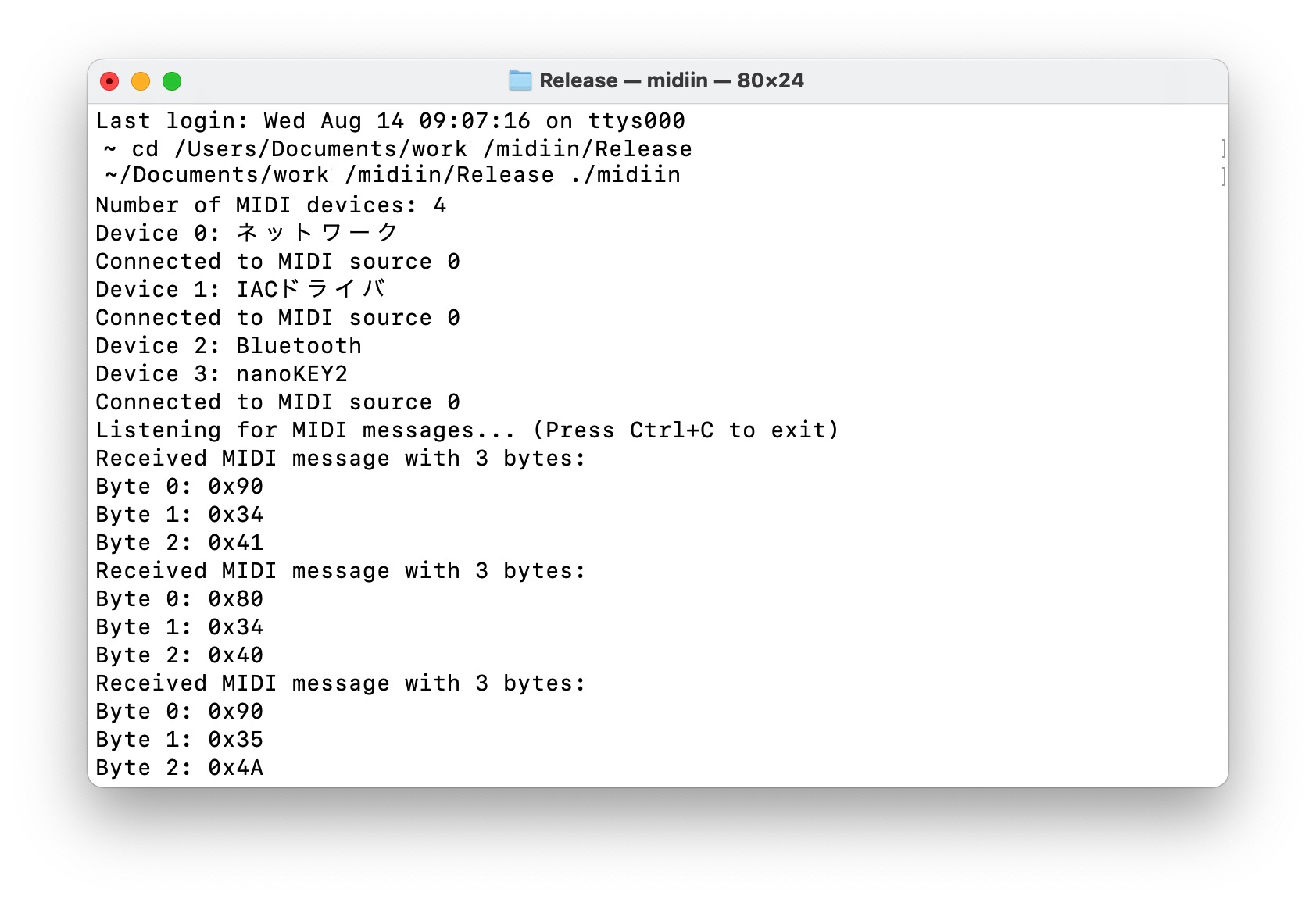
ターミナルでReleaseフォルダへ移動し、./midiin (ドット スラッシュ midiin)で実行できます。
MAC MIDI 送信プログラム
コマンドラインプログラムでMIDIを送信するプログラムmidioutを作成します。MIDIメッセージはコマンドラインの引数に以下のように記述します。
> ./midiout 0x90 0x40 0x7F
実行すると、MACにつながっているMIDIデバイスのリストが表示されます。 その後、どのデバイスにMIDIを出力するか、その番号を入力します。
> ./midiout 0x90 0x40 0x7F
90 75 43
Number of MIDI devices: 4
Device 0: ネットワーク
Device 1: IACドライバ
Device 2: Bluetooth
Device 3: nanoKEY2
Select device = 3
プログラムを以下に記載しておきます。コンパイルの方法は前日のMIDI入力と同じです、
#include <CoreMIDI/CoreMIDI.h>
#include <stdio.h>
#include <stdlib.h>

int main(int argc, char *argv[]) {
  MIDIClientRef client;
  MIDIPortRef outputPort;
  OSStatus result;

  if (argc != 4) {
    fprintf(stderr, "Usage: %s   \n", argv[0]);
    return 1;
  }

  uint8_t status = (uint8_t)strtoul(argv[1], NULL, 0);
  uint8_t data1 = (uint8_t)strtoul(argv[2], NULL, 0);
  uint8_t data2 = (uint8_t)strtoul(argv[3], NULL, 0);

  printf("%02x %02x %02x\n",status,data1,data2);

  // MIDI クライアントの作成
  result = MIDIClientCreate(CFSTR("MIDI Client"), NULL, NULL, &client);
  if (result != noErr) {
    fprintf(stderr, "Failed to create MIDI client: %d\n", result);
    return 1;
  }

  // MIDI 出力ポートの作成
  result = MIDIOutputPortCreate(client, CFSTR("Output Port"), &outputPort);
  if (result != noErr) {
    fprintf(stderr, "Failed to create MIDI output port: %d\n", result);
    MIDIClientDispose(client);
    return 1;
  }

  // 接続されているすべての MIDI デバイスを列挙
  ItemCount deviceCount = MIDIGetNumberOfDevices();
  printf("Number of MIDI devices: %lu\n", deviceCount);

  // MIDI デバイス名を表示
  for (ItemCount i = 0; i < deviceCount; i++) {
    MIDIDeviceRef device = MIDIGetDevice(i);

    CFStringRef deviceName;
    MIDIObjectGetStringProperty(device, kMIDIPropertyName, &deviceName);
    char name[128];
    CFStringGetCString(deviceName, name, sizeof(name), kCFStringEncodingUTF8);
        printf("Device %lu: %s\n", i, name);
  }

  // デバイスを選択する
  int devnum;
  fprintf(stderr,"Select device = ");
  scanf("%d",&devnum);

  // Device番号のデスティネーションを獲得する
  MIDIEndpointRef destination = MIDIGetDestination(devnum);
  if (destination == 0) {
    fprintf(stderr, "No MIDI destination found\n");
    MIDIPortDispose(outputPort);
    MIDIClientDispose(client);
    return 1;
  }

  // MIDI Dataをパケットにっ変換して送信する
  MIDIPacketList packetList;
  MIDIPacket *packet = MIDIPacketListInit(&packetList);
  uint8_t midiData[3] = { status, data1, data2 };
  packet = MIDIPacketListAdd(&packetList, sizeof(packetList), packet, 0, 3, midiData);

  result = MIDISend(outputPort, destination, &packetList);
  if (result != noErr) {
    fprintf(stderr, "Failed to send MIDI message: %d\n", result);
  }

  // Clean up
  MIDIPortDispose(outputPort);
  MIDIClientDispose(client);

  return 0;
}